
Little Nightmares 3 Multiplayer Not Working: Complete Fix Guide
Troubleshooting connection issues and getting back to surviving together

Experiencing multiplayer connection problems in Little Nightmares 3? You're not alone. Many players face issues joining friends or maintaining stable connections. This comprehensive guide covers all the proven solutions to get you and your partner back into the nightmare.
Video Guide: Fix Little Nightmares 3 Connection Errors
This video demonstrates how to fix connection errors by restarting your console and reinstalling the game.
1m • Android iOS Data Recovery • YouTube • Oct 9, 2025
Why Little Nightmares 3 Multiplayer Connection Fails
Platform Compatibility Issues
Little Nightmares 3 does not support cross-play between different platforms. Both players must be on the same gaming system (both on PS5, both on Xbox, or both on PC).
Network Connectivity Problems
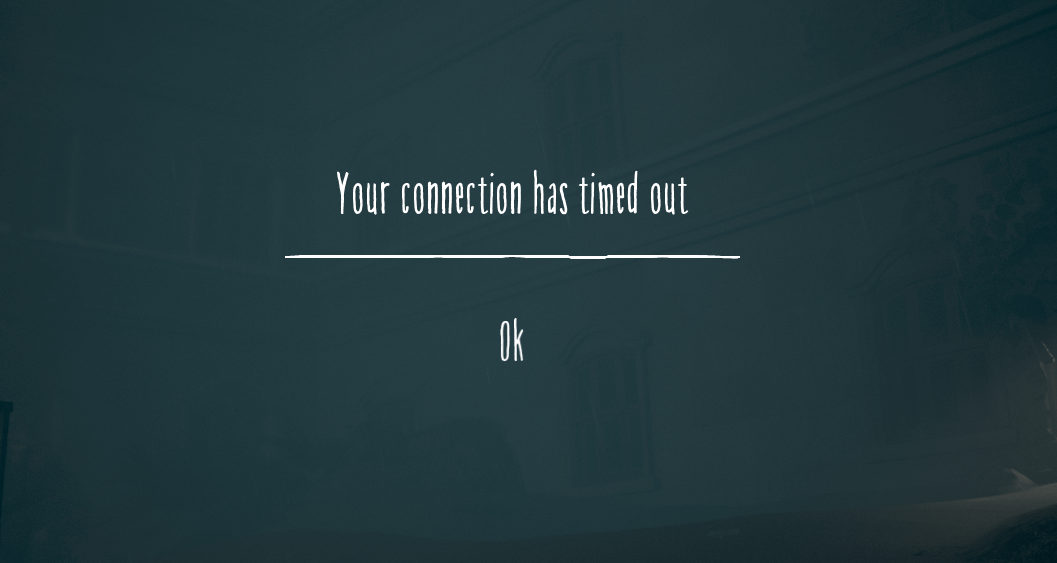
Unstable internet connections, NAT type restrictions, or bandwidth limitations can prevent successful multiplayer sessions in Little Nightmares 3.
Little Nightmares 3 Multiplayer Fixes That Actually Work
Restart Everything - The Universal Fix
Sometimes the simplest solutions are the most effective for Little Nightmares 3 multiplayer issues.
- Completely close and restart Little Nightmares 3
- Restart your gaming console (PS5, Xbox Series X/S) or PC
- Reset your router and modem
- Wait 30 seconds before restarting each device
Verify Platform Compatibility
Ensure both players meet the platform requirements for Little Nightmares 3 multiplayer.
Important: No Cross-Play Support
Little Nightmares 3 requires both players to be on identical platforms:
- Both players on PlayStation 5
- Both players on Xbox Series X/S
- Both players on PC (Steam/Epic Games)
- Both players on Nintendo Switch
Optimize Connection and Host Selection
Network configuration plays a crucial role in Little Nightmares 3 multiplayer stability.
- Have the player with better internet speed host the game
- Use wired Ethernet connection instead of WiFi when possible
- Test both players' internet speeds before starting
- Close bandwidth-heavy applications (streaming, downloads)
Advanced Technical Solutions
For persistent Little Nightmares 3 multiplayer problems, try these technical fixes.
Firewall & Antivirus Settings
Temporarily disable firewall/antivirus software or add Little Nightmares 3 to exception lists.
Steam File Verification
Right-click Little Nightmares 3 in Steam Library > Properties > Local Files > Verify Integrity.
Clear Platform Cache
Clear download cache on Steam or clear system cache on consoles for Little Nightmares 3.
Port Forwarding
Configure your router to forward ports used by Little Nightmares 3 multiplayer.
Step-by-Step Little Nightmares 3 Multiplayer Troubleshooting
Check Platform Match
Confirm both players are on identical platforms with updated Little Nightmares 3 versions.
Basic Restart Sequence
Restart game, console/PC, and network equipment in sequence.
Connection Testing
Test internet speeds and try switching hosts in Little Nightmares 3 multiplayer.
Technical Configuration
Adjust firewall settings, verify game files, and clear platform cache.
Contact Support
If all else fails, reach out to Little Nightmares 3 official support with detailed error information.
Additional Tips for Little Nightmares 3 Multiplayer Success
Prevention Strategies
- Keep Little Nightmares 3 updated to the latest version
- Maintain stable internet connection during sessions
- Coordinate play sessions during off-peak hours
- Use quality of service (QoS) settings on your router
When to Seek Help
- Consistent connection timeouts in Little Nightmares 3
- Unable to see friend's game session
- Frequent disconnections during gameplay
- Error codes that persist after troubleshooting
Note: Little Nightmares 3 multiplayer issues are often resolved with platform updates. Check for game patches regularly.
Get Back to Surviving Together
Little Nightmares 3 is meant to be experienced with a partner. Don't let connection issues keep you from enjoying this terrifying cooperative adventure. Try these solutions systematically, and you'll likely resolve your multiplayer problems.
Still having issues? Visit the official Little Nightmares 3 support page or community forums for platform-specific assistance and the latest updates on multiplayer fixes.